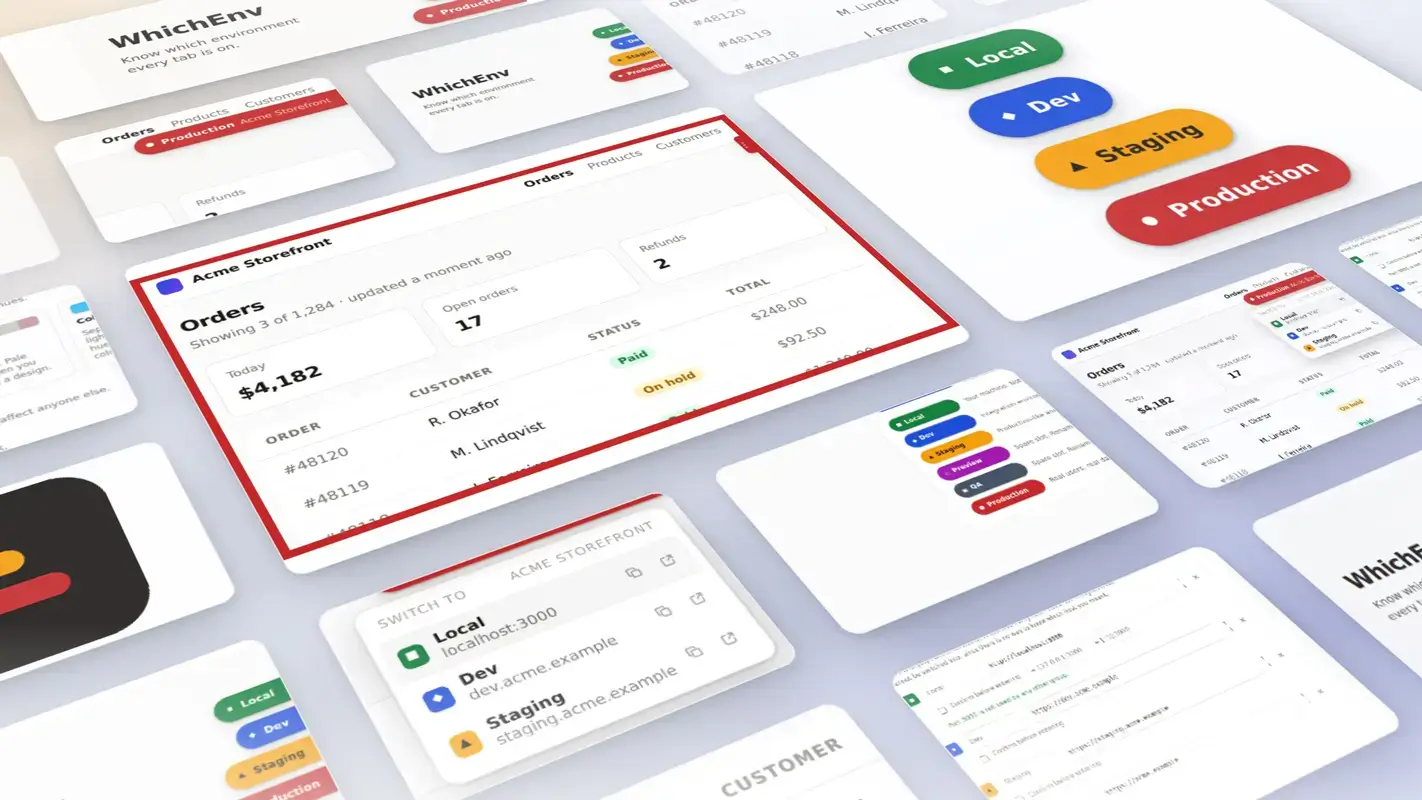
WhichEnv is now available in the Chrome Web Store. It is a Chrome extension for developers that tells you, at a glance, which environment a browser tab is on, and lets you jump to the same page on another one. It is free, open source, and it asks for no website access when you install it.
If you work across environments, you have had this moment. You make a small change, you save, and nothing happens where you expected. The tools give you very little help here: staging and production look identical, because looking identical is the entire point of staging. Same theme, same content, same admin screens. The only thing separating them is a string in the address bar that stopped registering months ago.
You register a group for a site and list that site’s environments: production, staging, dev, and a local port if you use one. From then on, every tab on one of those environments carries a color-coded marker. Green for local, blue for dev, amber for staging, red for production. Click the marker and you jump to the same page on a different environment, with the path and query string carried across, so you keep your place instead of retyping a hostname.
That is the whole idea. You stop checking and start seeing.
Two tabs, the same title, the same icon. One of them is the live site.
Same title, same icon, and you can only see one URL at a time. You read the hostname every time, or you find out.
The tab icons tell them apart, the badge reads PRD, and the page says which one it is. You stop reading and start seeing.
The pill is also the switcher. Open it and you land on the same screen in another environment, path and query string carried across.
Anyone who keeps more than one copy of the same site open at once. Agency and freelance developers moving between client sites, in-house teams with a staging and production pair, and anyone running a local build alongside a deployed one.
We built it for ourselves before we built it for anyone else. On a normal day we have tabs from several client projects open across local, staging and production, and a browser treats every one of them as the same anonymous window.
env in the address bar, or by right-clicking any link and opening it on another environment. Optional confirmation before you land on production.See how it all works on the WhichEnv page, which covers the markers, the switching, the permission model and the setup options in full.
Install WhichEnv from the Chrome Web Store.
It is free, MIT licensed, and the source is on GitHub if you would rather read it than take our word for any of the above.
Writing the extension was the predictable part. Getting it through the Chrome Web Store was not.
We had set aside a morning for submission. It took a day, almost all of it on things we did not know to prepare for.
There is an identity verification step that checks a third-party business database rather than your state filing. There is a European trader declaration that publishes business contact details we had not decided on yet. The permissions questionnaire has fewer fields than our extension has permissions to explain. And the three visibility levels do not mean quite what their names suggest, which matters when you want a quiet window to test a published build.
None of that was hard. All of it was unfamiliar, and each piece had to be dealt with in the order the dashboard asked for it rather than the order that would have been convenient.
The lesson we are carrying into the next one is that a store submission is a small project of its own and belongs in the estimate. The code is the part you can predict. The paperwork around it is where the day goes.
The review itself was the pleasant surprise. WhichEnv asks for a broad host permission, which the dashboard warns can trigger an in-depth review, so we prepared to wait weeks. It cleared in days. We put that down to writing justifications that answered the reviewer’s real question, which is why a narrower permission would not do, rather than restating what the permission does.
And if you have ever saved a change to the wrong environment, WhichEnv is free and asks for nothing at install.